
If you’ve ever needed to present JSON data in a clean, readable way — whether for reports, websites, or quick visualization — you know how time-consuming it can be to hand-code HTML tables.
With TableFromJSON, you can now convert JSON files into beautiful, ready-to-use HTML tables — complete with styling options, interactivity, and customization — all in seconds.
Why HTML Table Export?
Until now, TableFromJSON focused on quick table previews and format exports like Excel or CSV. But many users wanted something more web-friendly — a way to embed data directly into a website without extra formatting.
That’s why we’re excited to introduce the HTML Table Export feature.
Now, when you upload your JSON file, you can download a full HTML file containing your data neatly formatted as a responsive table.
Choose from 4 Beautiful Styles
To help your tables match your project’s look and feel, TableFromJSON offers four built-in themes, Default, Classic, Minimal and Dark.
Each HTML file includes all the necessary CSS so you can open or deploy it right away.
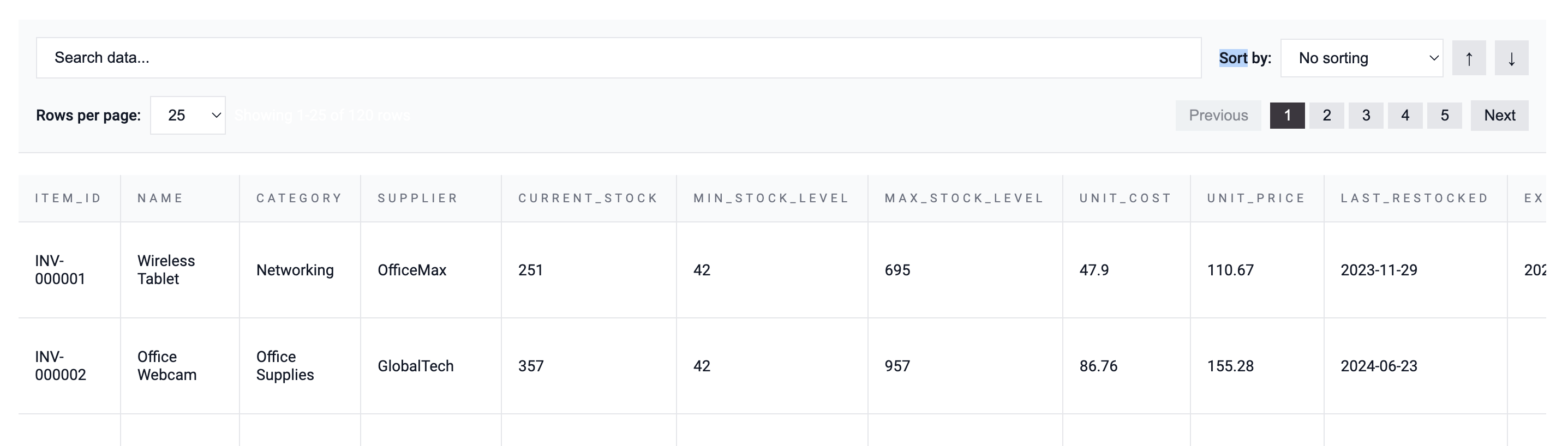
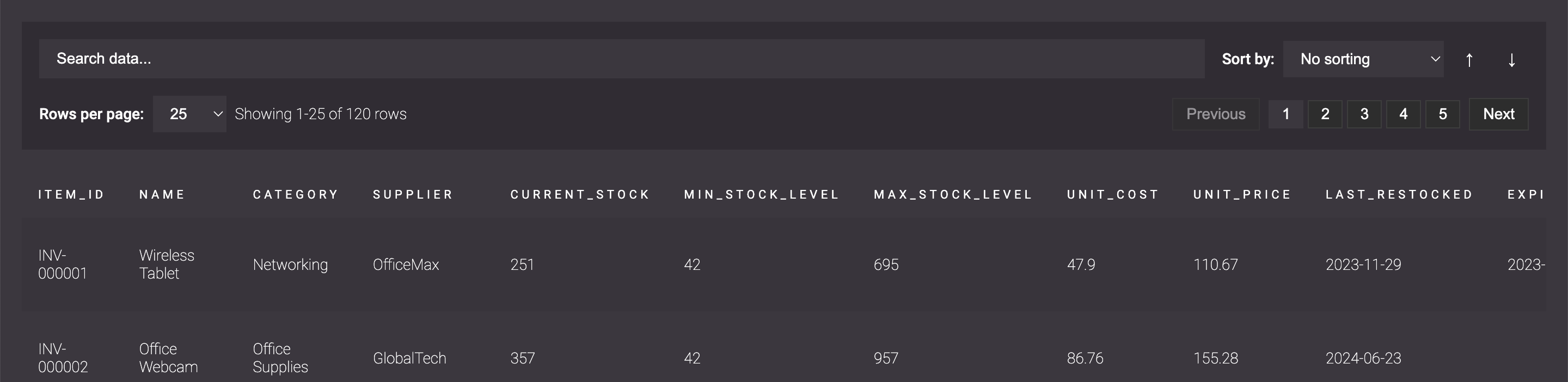
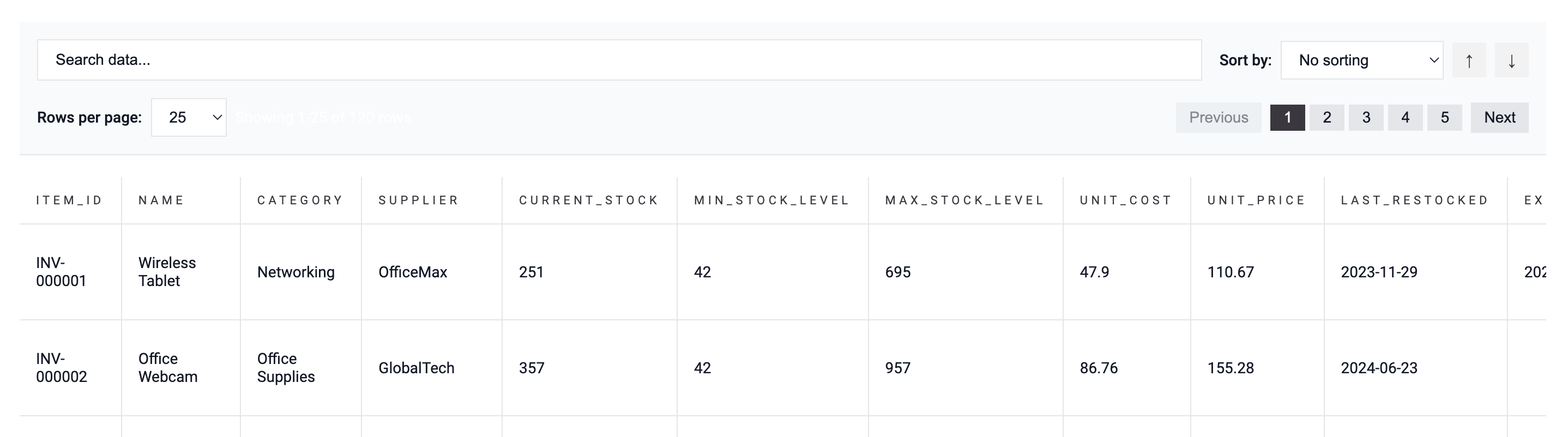
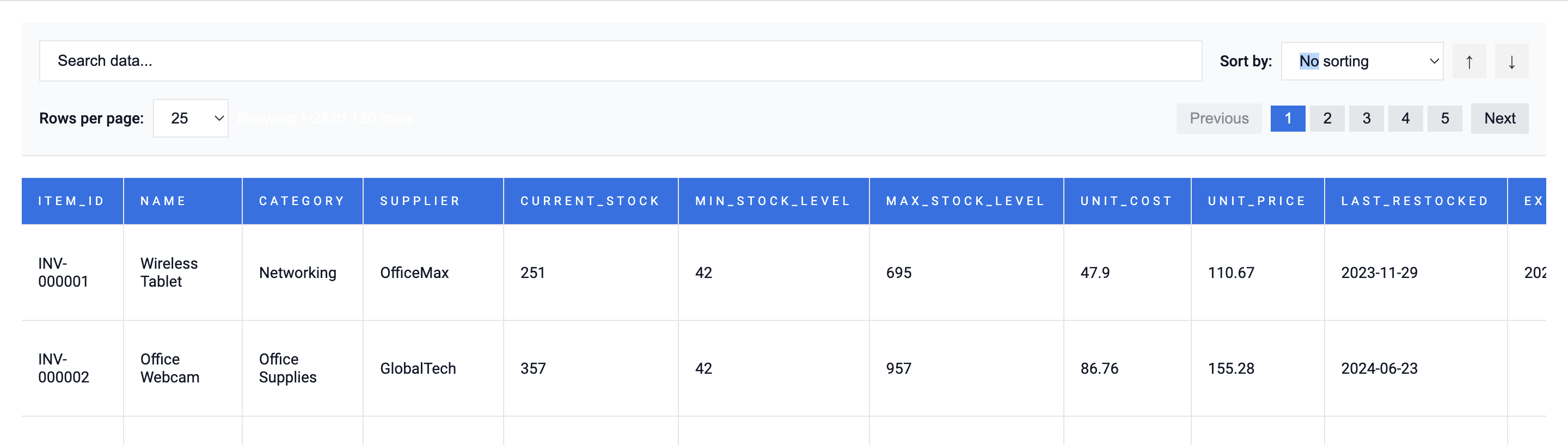
Add Powerful Features with Just a Click
Make your table more interactive without touching a single line of JavaScript:
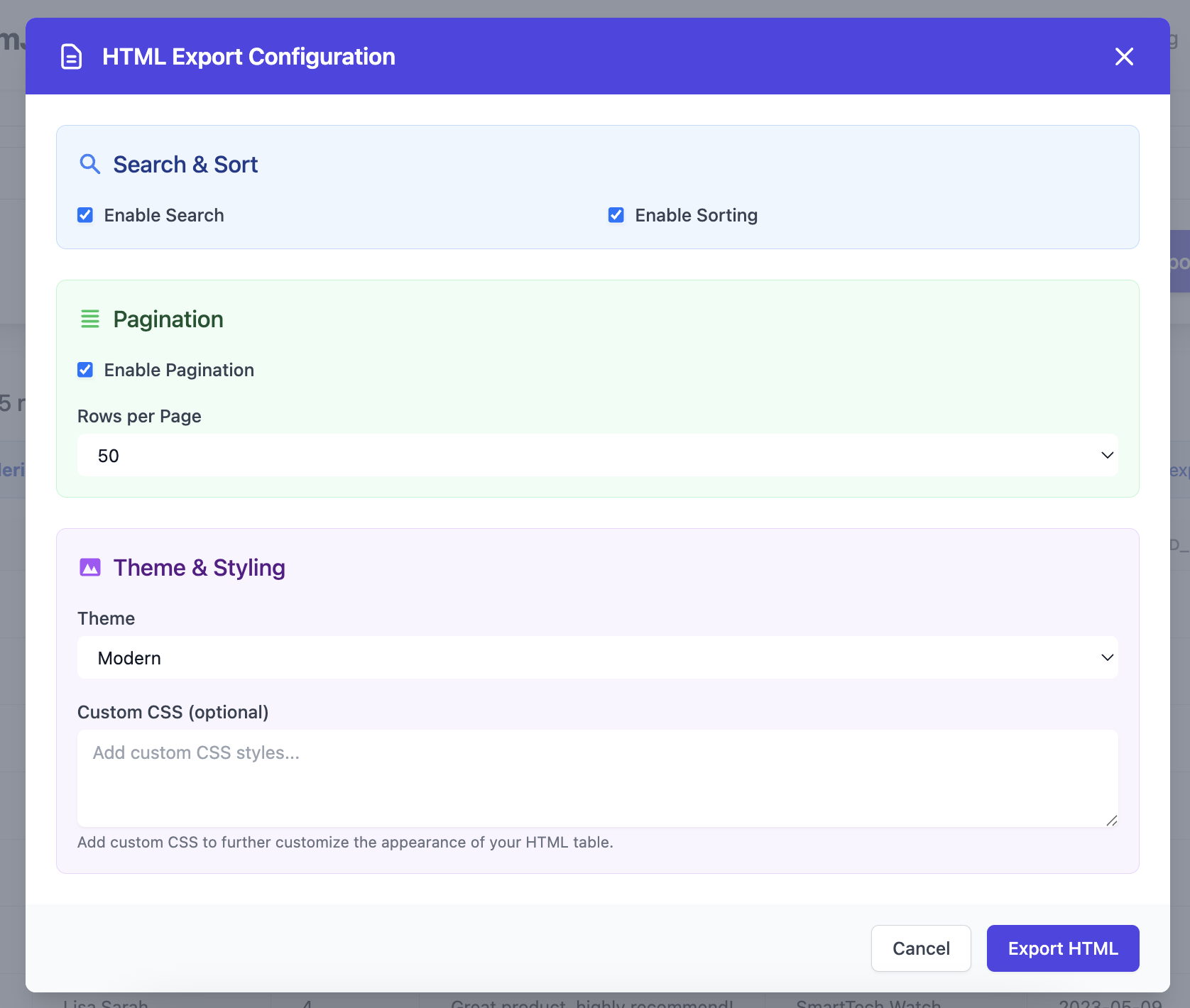
- Enable Search: Quickly find rows that match your query
- Enable Sorting: Sort columns ascending or descending
- Enable Pagination: Display your data in manageable chunks
- Custom CSS: Add your own flair by inserting your preferred CSS rules
All these options can be toggled before you download — giving you total control over how your data is presented.
That’s it. No dependencies, no setup, no coding required.
How It Works
- Upload your JSON file — drag and drop it into TableFromJSON.
- Preview your data — see it instantly formatted in table form.
- Choose “Export as HTML Table.”
- Select a style and options (search, sorting, pagination, custom CSS).
- Download your HTML file — ready to open in your browser or embed in your website.
That’s it. No dependencies, no setup, no coding required.
Perfect For…
- Developers who want to embed test data in prototypes
- Analysts creating quick web-based visual reports
- Bloggers or content creators showcasing data sets
- Anyone who just wants to make JSON look good fast
This new HTML Table Export feature is all about making your data more accessible and visually appealing — without the usual technical hassle.